

POS software for stationery shops and bookshops
Stationery shops and bookshops sell a wide mix of small, low-price items. They serve schools and offices on credit and see a surge at the start of term. AIFFICIENTO keeps counter billing quick and gives bulk buyers trade prices and clear statements.
30 days free No credit card Every feature included
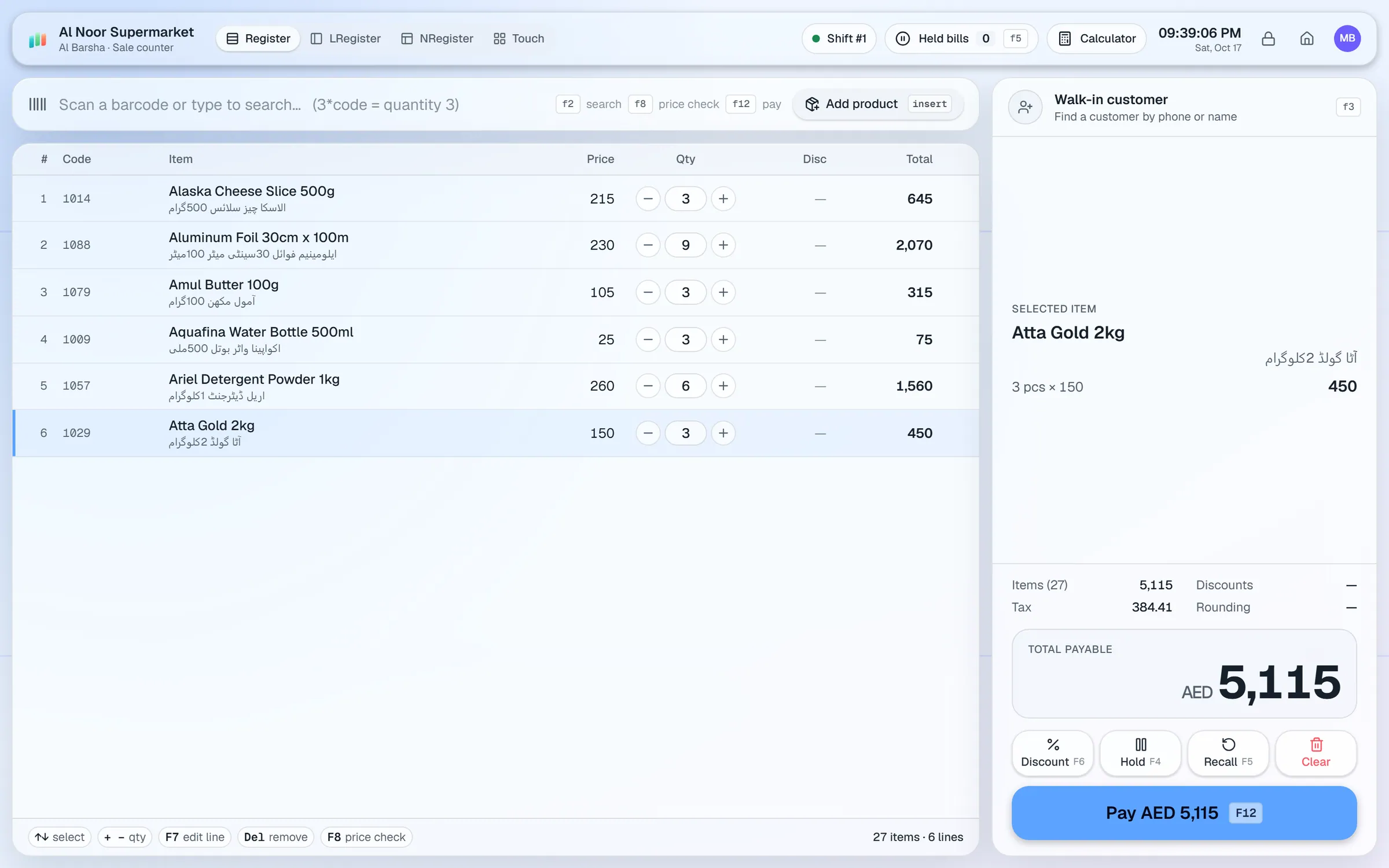
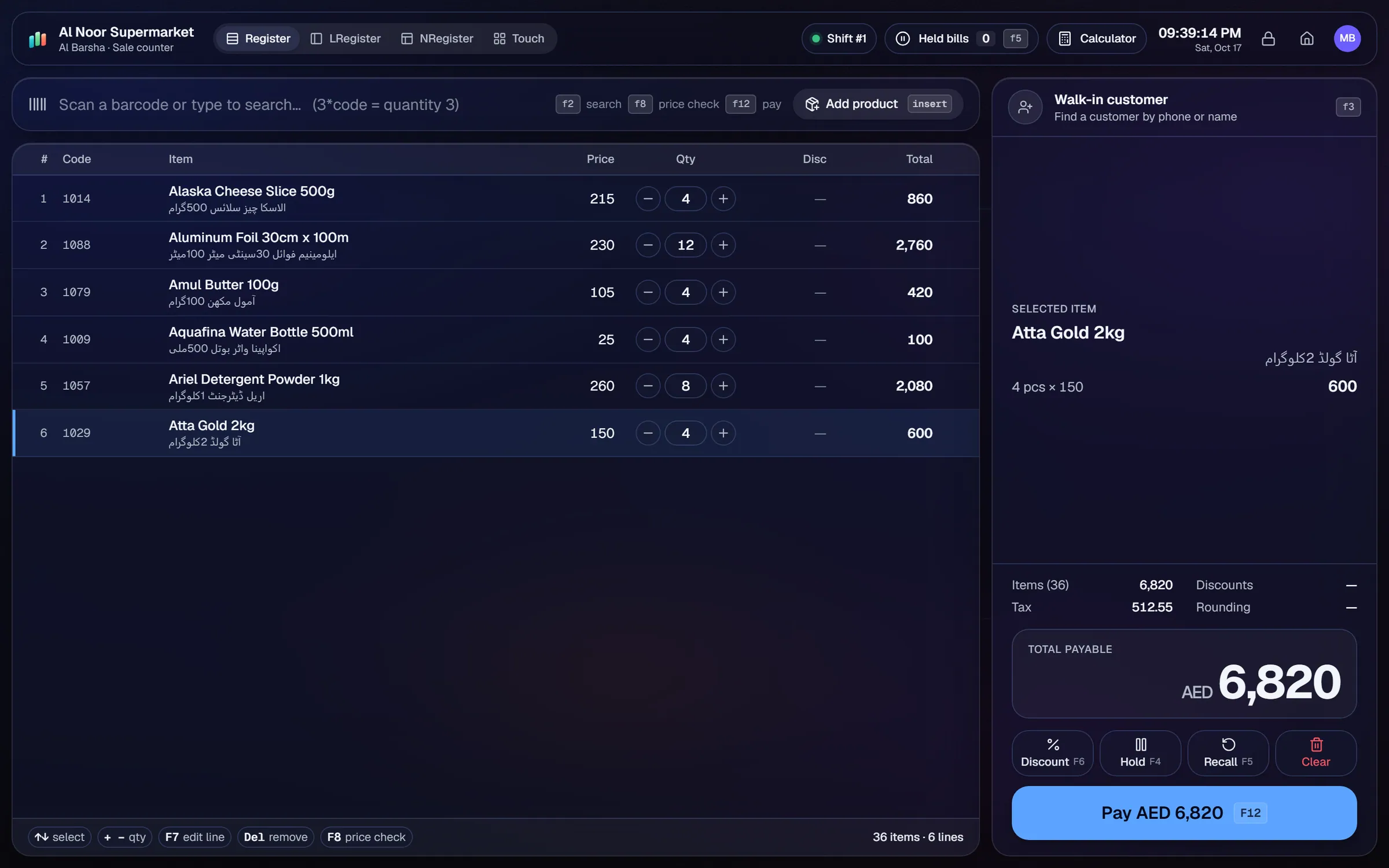
What slows a stationery & bookshop shop down.
Pens, files, notebooks and books all need to be found quickly at the counter. Searching by name alone is slow at a busy till.
Schools and offices buy in bulk and pay on invoice or later. Those balances go wrong when they are tracked on paper.
The first weeks of term bring a surge in sales. Stock runs out and reorders are placed too late.
Books and sets need barcodes and clear prices. A handwritten price list at the counter causes disputes.
Workflows built for your counter.
Use USB scanners for barcoded books and supplies. Use the touch tiles for loose stationery that has no barcode.
Keep customer accounts with credit limits, payments received and statements for schools and offices. Assign the wholesale tier to bulk buyers.
The reorder list shows low-stock items. Repeat orders reuse a past supplier order, so the term stock is ordered on time.
Design shelf and price labels in the label designer. Print 2-up or 3-up on A4 sheets, or on roll sizes.
Add a second-language name to items, and show it on receipts for customers who read it.
Photograph a publisher's or wholesaler's bill. Geto drafts the purchase, and you review each line before saving.
A stationery shop and a bookshop share one challenge: many small items, many customers and a few very busy weeks a year. The setup should make the counter quick and the school accounts easy to manage.
Setup checklist
- Install the server on the shop PC and add the counter as a terminal.
- Import your items from Excel or CSV. Give each barcoded book and supply its barcode and price.
- Set up touch tiles for the loose stationery that is most often bought.
- Create customer accounts for the schools and offices that buy on credit, with a credit limit for each.
- Assign the wholesale tier to bulk buyers.
- Set reorder levels for exercise books, pens, files and the set books you sell every term.
- Print shelf labels for the front of the shop and the book section.
Books without a barcode
AIFFICIENTO does not list an ISBN lookup database. Scan barcodes that are printed on the book, and for others enter the title, author and price by hand. Geto can also fill in product details from a photo, which you check before saving.
What to track every week
- Top sellers by category, so you know what the school crowd buys.
- Margin on books compared with stationery.
- School and office dues, oldest first.
- Supplier dues and the payments due this week.
- Dead stock on titles that have stopped selling.
Plan your term-start order a month early. Use the reorder list and the sales reports from last year to set the quantities, then check the list every week during the rush.
Stationery & bookshop POS software by country
Questions, answered
Can I look up books by ISBN?
Can schools buy on account?
Can the shop handle the term-start rush?
Can I print shelf labels?
Can I show Urdu names on receipts?
Can I try it before I pay?
Guides & articles
All articlesBest Billing Software for Retail Shops in India (2026 Guide)
Choose billing software for an Indian retail shop in 2026: GST invoices, counter speed, offline billing, and the questions to ask before you pay.
Read guide →General Store Software Guide for Kiryana Shops
A setup checklist for kiryana and general store software: products, barcodes, Urdu names, wholesale price tiers, credit, staff roles, and a daily close routine.
Read guide →Inventory Management Tips for Retail Shops
Practical inventory management tips for retail: ABC analysis, reorder points, cycle counts, dead stock clearance and expiry-first selling for small shops.
Read guide →Your next chapter starts at the counter.
Try every feature free for 30 days. No credit card. Bring your products, ring up a bill, ask Geto a question.
Windows 10/11 · Android app · works offline · any currency