

POS software for bakeries and sweet shops
Bakeries and sweet shops bill a steady stream of fresh items, sell to caterers at trade rates and need to know what is close to its date. AIFFICIENTO runs the counter, the trade accounts and the stock of finished goods in one system.
30 days free No credit card Every feature included
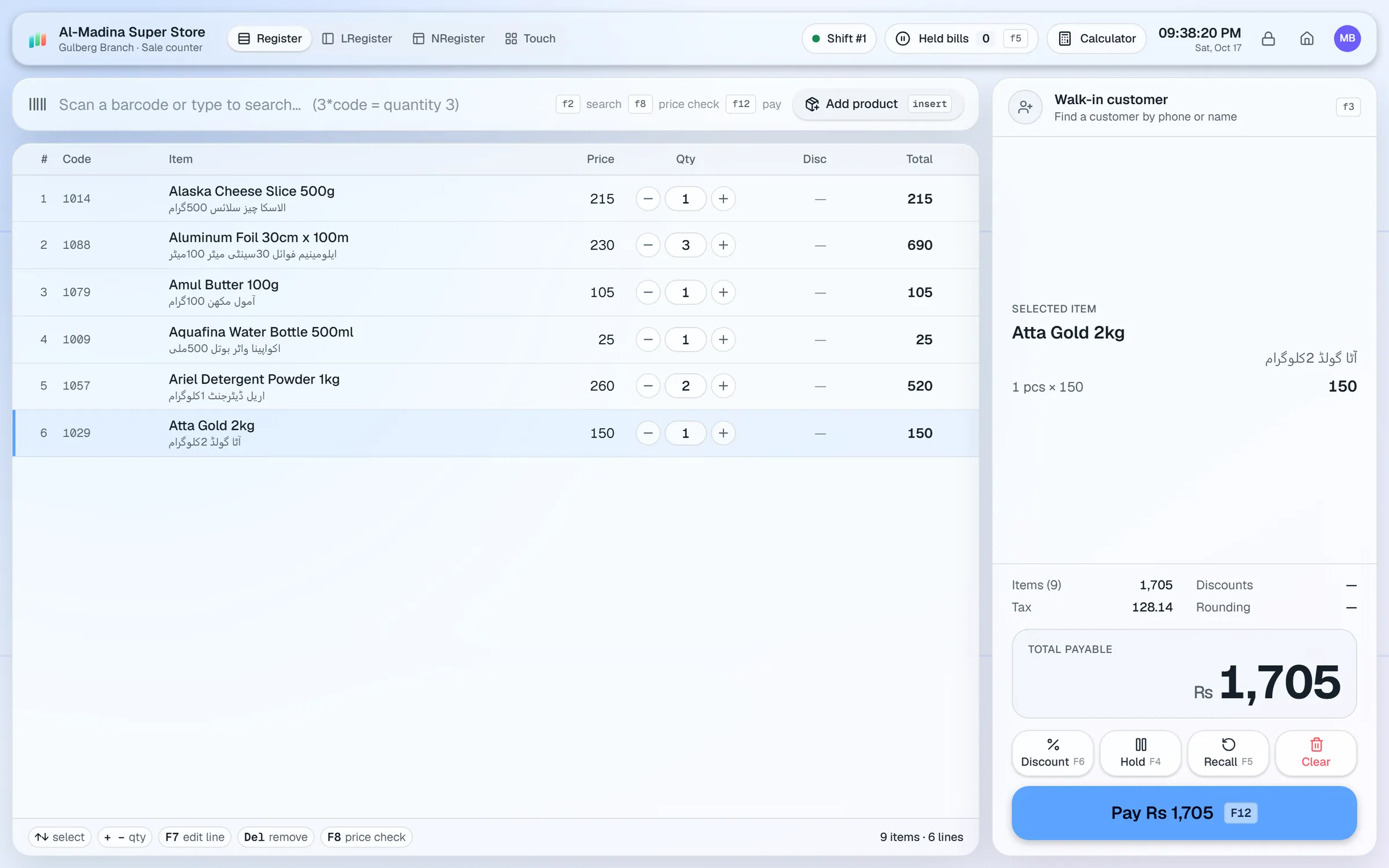
What slows a bakery & sweets shop down.
Early customers want a quick bill before the bread and sweets are gone. Slow billing means a long line at the counter.
Items left at the end of the day need tracking, and owners need to know what did not sell and why.
Caterers and restaurants order in bulk at trade rates, often on credit. Those orders are easy to lose track of.
Cash from many small sales is counted at close with little record of what should be in the drawer.
Workflows built for your counter.
Use the touch layout with product tiles for loose sweets and bakes that have no barcode. Hold a bill when a queue forms.
Assign the wholesale tier to caterers and restaurant customers. Walk-in customers keep the retail price.
Record expiry dates on each received batch of packaged goods you resell, such as biscuits, juices and boxed sweets.
Run % off or amount off promotions by category, inside a date window or during happy hours.
Set credit limits and print statements for caterers who pay on account, and send balance reminders when payments are due.
Open a shift with a float, record cash in and out, count the drawer and close with expected versus counted cash.
A bakery sells fresh items all day and runs two rushes: the morning and the evening. The system should keep the counter fast and the cash simple, and make the trade orders easy to track.
Setup checklist
- Install the server on the shop PC and add the counter as a terminal.
- Set up the touch layout with product tiles for your most-sold items, so cashiers can bill without searching.
- Import the products you resell from Excel or CSV. Set the unit, the retail price and the wholesale price for each.
- Assign the wholesale tier to caterers and restaurant accounts.
- Record expiry dates on packaged goods as you receive them.
- Set up shifts for each cashier, with a standard opening float.
- Test a morning sale, a catering order on credit, a happy hour discount and the day close.
Recipes and production
AIFFICIENTO does not manage recipes, ingredient usage or production batches. It sells finished goods and tracks stock of items you buy in and resell. If you bake from raw ingredients, keep your production records in a separate book or sheet.
What to track every week
- Sales by hour, to plan the morning and evening shifts.
- Best sellers and the items that are left at the end of the day.
- Margin by category.
- Caterer dues, and the payments due this week.
- Cash differences by shift.
Review the sales-by-hour report on Mondays, and use it to decide the morning bake plan.
Bakery & sweets POS software by country
Questions, answered
Can I manage recipes and production batches?
Can I run happy hour discounts?
Can caterers buy on credit?
Can I bill loose items without barcodes?
Does it track expiry for packaged goods?
Can I try it before I pay?
Guides & articles
All articlesBest Billing Software for Retail Shops in India (2026 Guide)
Choose billing software for an Indian retail shop in 2026: GST invoices, counter speed, offline billing, and the questions to ask before you pay.
Read guide →General Store Software Guide for Kiryana Shops
A setup checklist for kiryana and general store software: products, barcodes, Urdu names, wholesale price tiers, credit, staff roles, and a daily close routine.
Read guide →Inventory Management Tips for Retail Shops
Practical inventory management tips for retail: ABC analysis, reorder points, cycle counts, dead stock clearance and expiry-first selling for small shops.
Read guide →Your next chapter starts at the counter.
Try every feature free for 30 days. No credit card. Bring your products, ring up a bill, ask Geto a question.
Windows 10/11 · Android app · works offline · any currency