

Inventory management software for retail shops
Know what is on the shelf, what is in the back and what is running out. AIFFICIENTO keeps one stock record across your products, purchases, sales and returns.
30 days free No credit card Every feature included
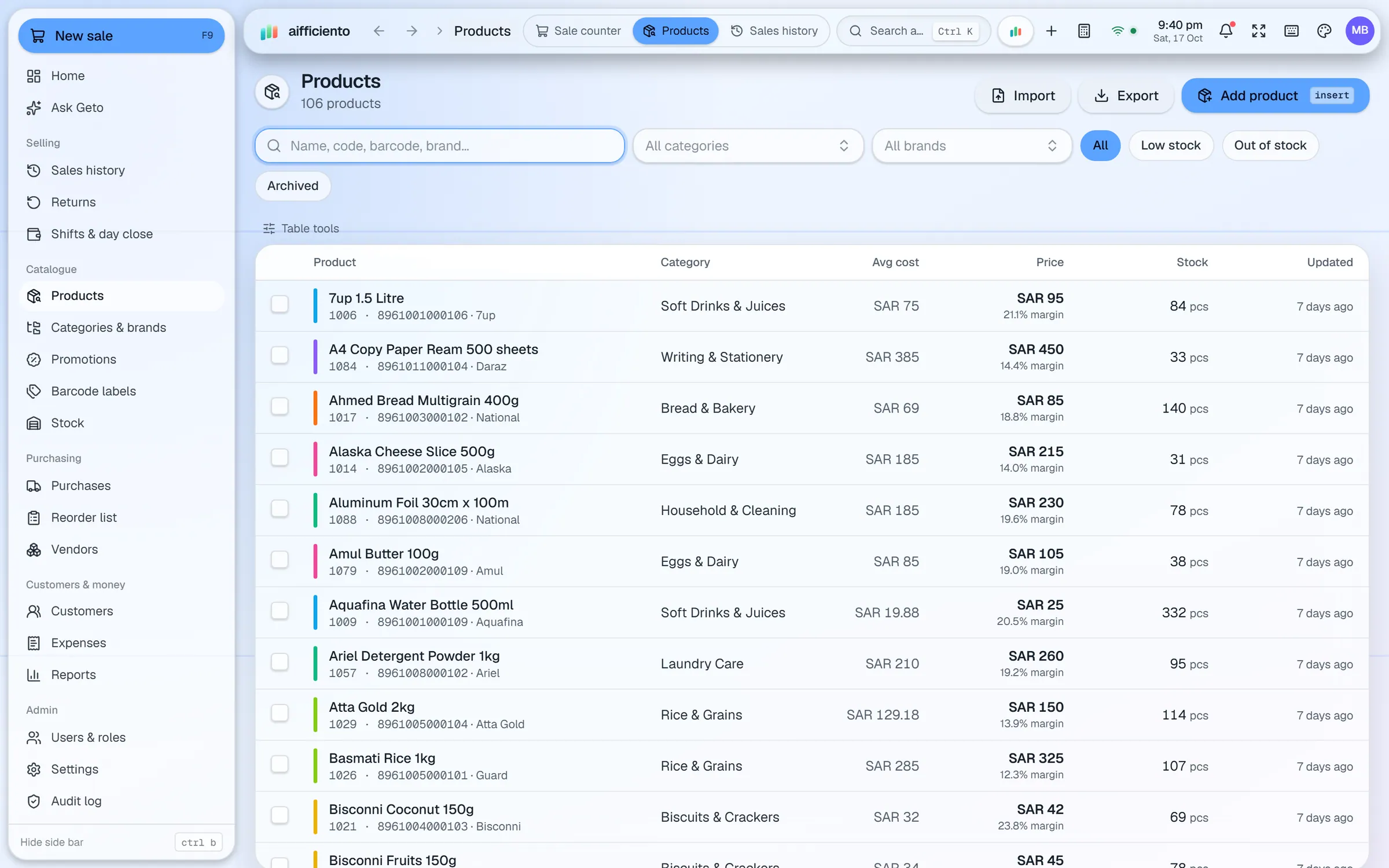
Record the barcode, second-language name, category, brand, unit, cost, sale, wholesale and MRP prices, plus product images.
Import your product list from Excel or CSV. For help moving from old software or spreadsheets, ask for assisted data migration.
Change prices across many products at once, rather than editing each item one by one.
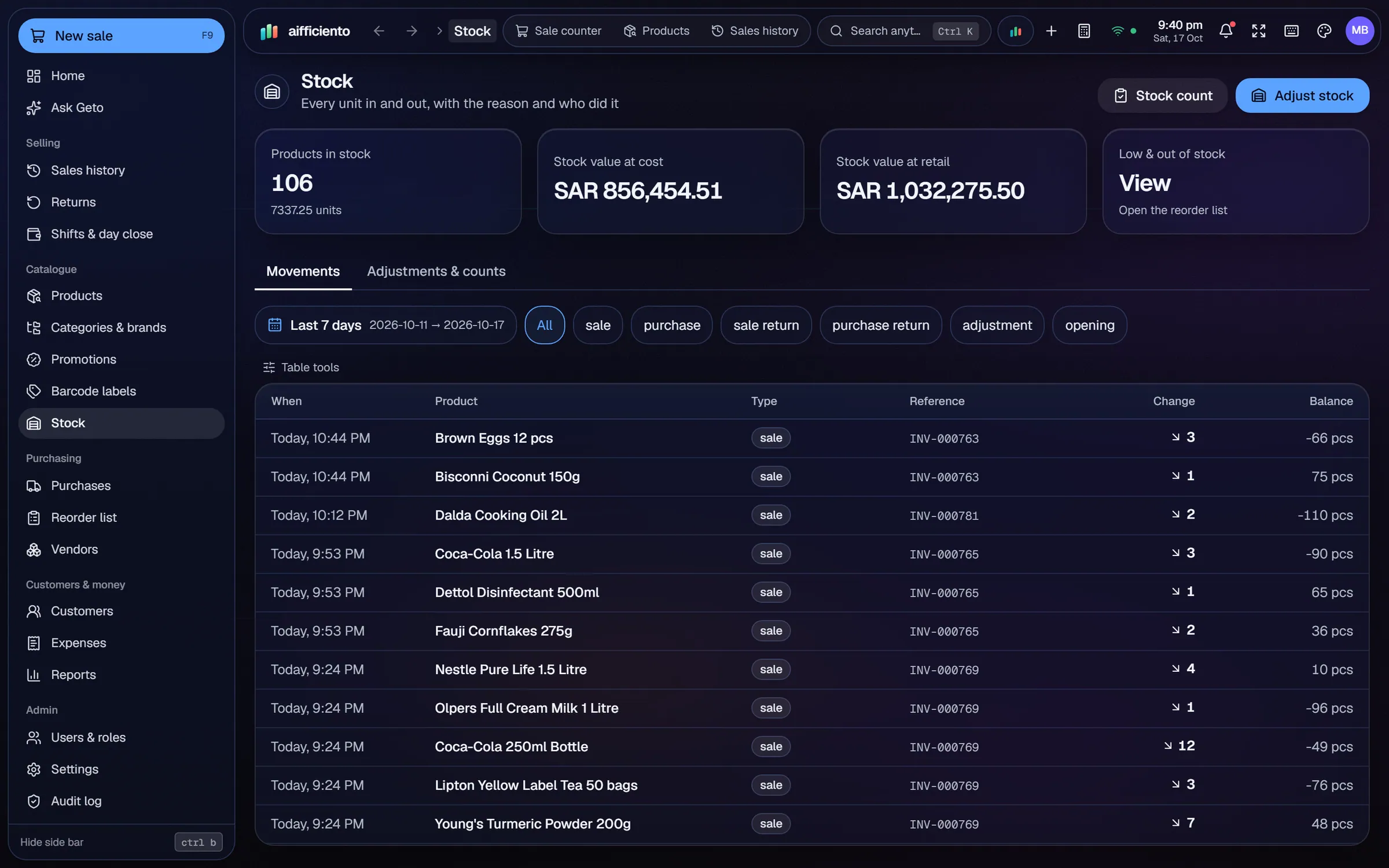
Count the shelves, record adjustments and see the value change that each adjustment causes.
Record expiry dates on received batches, and the expiry watch lists the items that need attention before they go out of date.
A reorder list shows the items running low, ready for your next purchase order.
Stock problems show up in two places: the shelf that is empty when a customer asks, and the cupboard that is full of items nobody buys. Good inventory software helps with both.
One stock record
Every product has one record. Purchases add to it, sales and returns move it, and stock adjustments correct it. When you look at a product, you see what the shop actually holds, with the cost and the prices set for it.
Setting up the catalogue
Start with your product list. If it is already in a spreadsheet, import it from Excel or CSV. Otherwise add products one by one, or use the photo tool for new items. Give each product its unit, its barcode and its second-language name where it matters.
Counting and correcting
Stock counts happen in every shop, and the counts never match perfectly. Record the count, and the adjustment shows the value change it creates. That makes it easier to see whether a gap is breakage, a missed delivery or a mistake at the counter.
Expiry and reorder
Enter the expiry date when a batch is received. The expiry watch lists items that are close to their dates, so you can move them first. The reorder list shows low-stock items, which you can turn into purchases in the purchases and suppliers module.
Changing prices in bulk
When a supplier raises costs, bulk price changes let you update many products at once. Check the list before you apply a change, and keep a note of the date, so the figures in your reports stay easy to follow.
Who can change stock
Stock changes are recorded with the user who made them, and the staff roles control who can adjust stock. Keep adjustment rights for the people who count the shelves.
Questions, answered
Can I import my existing stock list?
Does stock update when I sell?
How do I track expiry dates?
Is it suitable for pharmacies and grocery shops?
Can I try inventory management before I pay?
Guides & articles
All articlesInventory Management Tips for Retail Shops
Practical inventory management tips for retail: ABC analysis, reorder points, cycle counts, dead stock clearance and expiry-first selling for small shops.
Read guide →Best POS Software in Pakistan: How to Choose in 2026
How to choose POS software in Pakistan: key criteria, offline desktop vs cloud, a 30-minute demo checklist, and where AIFFICIENTO fits. October 2026.
Read guide →Reduce Retail Shrinkage and Stock Loss
Reduce retail shrinkage with POS controls: void and return approvals, audit logs, regular stock counts, cash variance checks and role-based permissions.
Read guide →Your next chapter starts at the counter.
Try every feature free for 30 days. No credit card. Bring your products, ring up a bill, ask Geto a question.
Windows 10/11 · Android app · works offline · any currency