

Retail reports and a live sales dashboard
See what sold, what made money and what is sitting on the shelf. AIFFICIENTO includes more than 44 reports and a live dashboard, so you can check the day without waiting for month end.
30 days free No credit card Every feature included
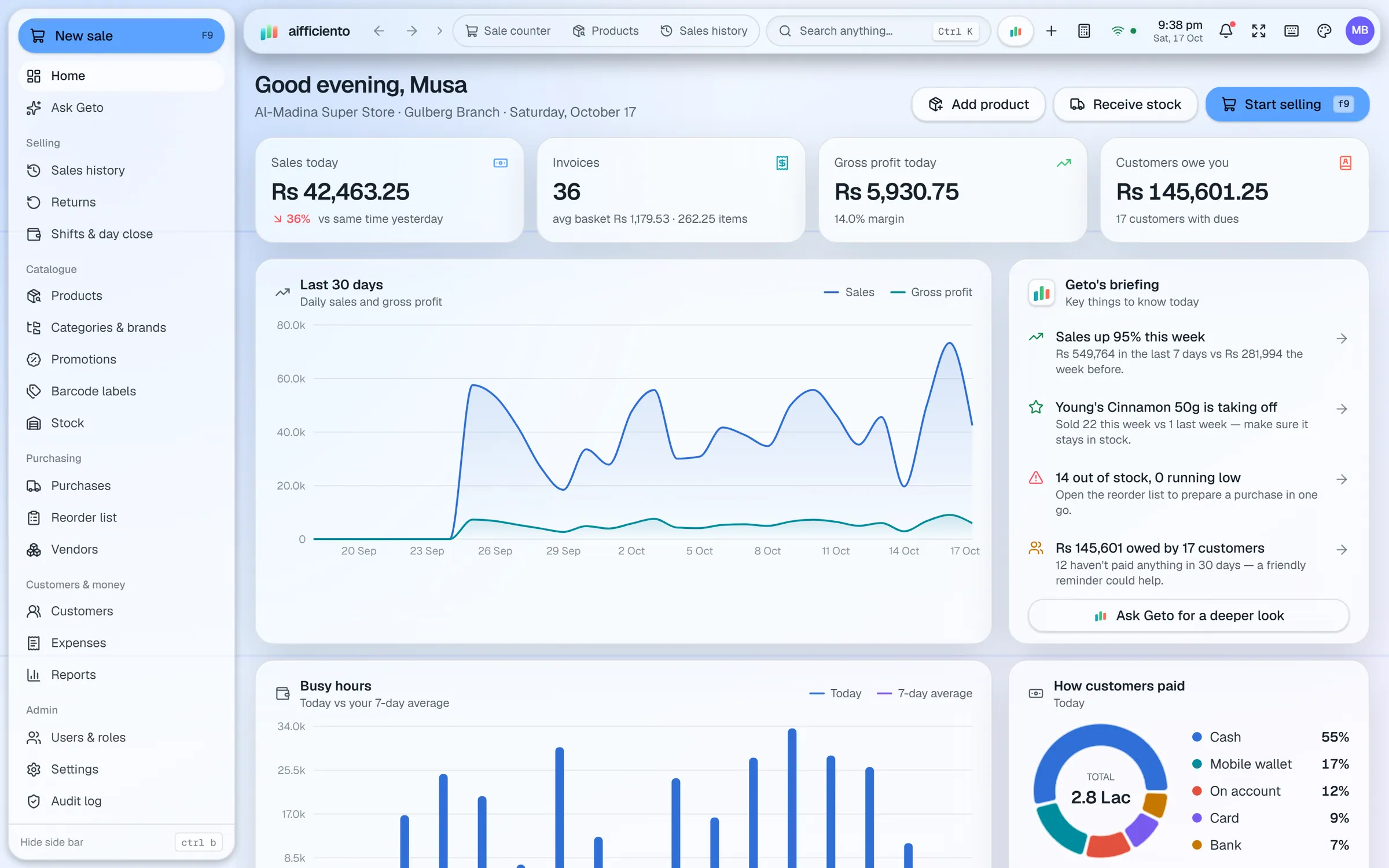
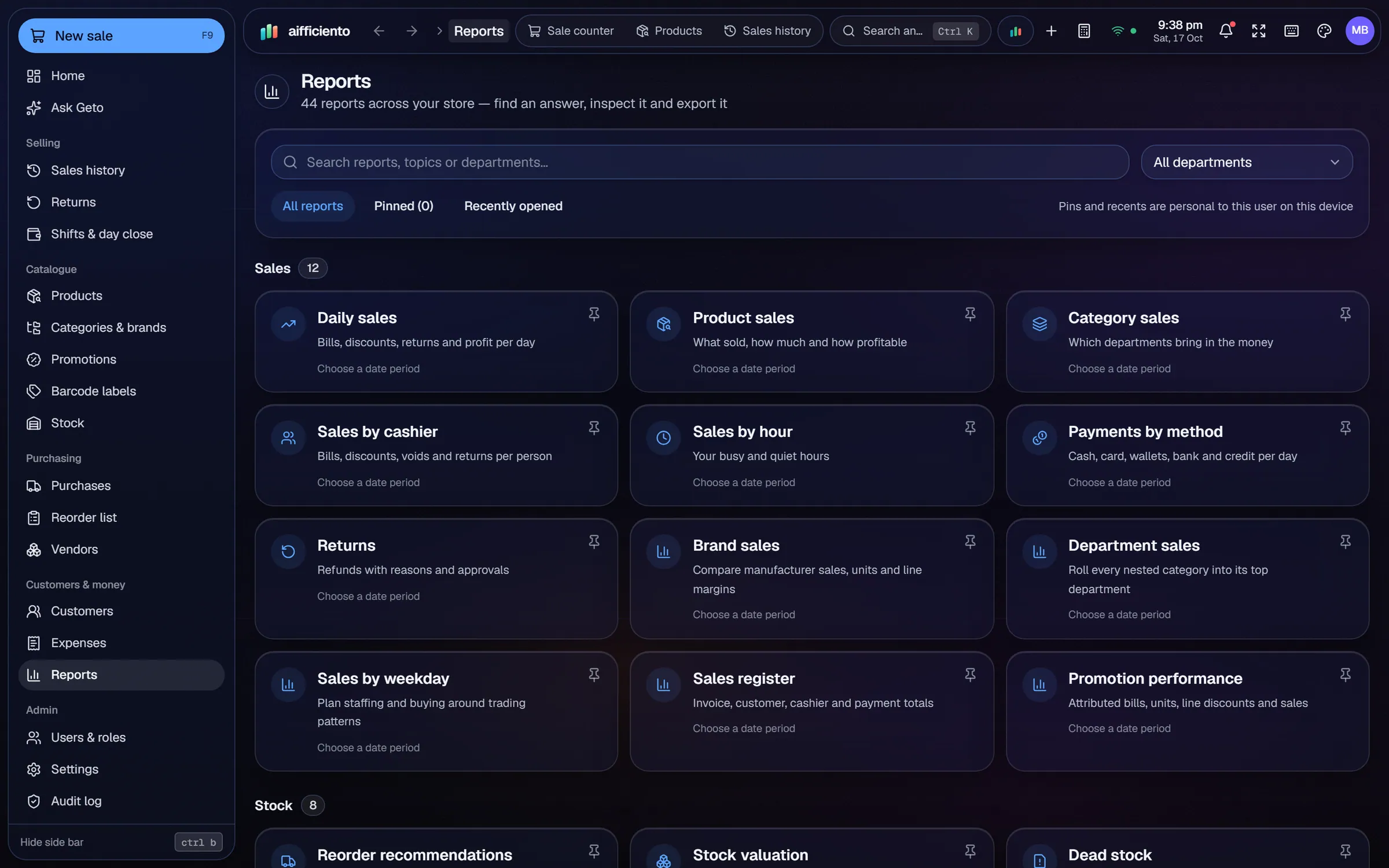
Sales, profit, margins, products, categories, cashiers, hours, payment methods, expenses and profit and loss, among others.
Stock valuation, dead stock, customer dues and supplier dues, so you can see what needs action.
Compare today’s sales with yesterday’s, and see profit, invoices, busy hours and the payment mix.
The dashboard includes a daily briefing from Geto, with the sales trend, items taking off and overdue customers.
Export reports to CSV, or print them for your accountant or your own files.
Each user sees only the reports their role allows.
Numbers help when they arrive in time to act on. A report that comes after the month has closed tells you what went wrong. The dashboard and the reports in AIFFICIENTO show the day as it runs.
The dashboard
The live dashboard shows today’s sales next to yesterday’s, so you can see whether the day is ahead or behind. It also shows profit, the number of invoices, the busy hours and the payment mix. Customer dues sit on the same screen, so the owner can see who is overdue.
Reports
The software includes more than 44 reports. Sales and profit reports show the money coming in and what it earns after cost. Product and category reports show what sells. Cashier and hours reports show how each person and each part of the day performs. Stock valuation and dead stock show what the shelves are worth and what has stopped moving. Customer dues, supplier dues, expenses and profit and loss complete the picture.
Daily briefing
The dashboard carries a daily briefing from Geto. It highlights the sales trend, the items taking off, the products that have run out and the customers who are overdue. Use it as the start of the morning routine.
Export and print
Reports export to CSV, which opens in Excel and other spreadsheet programs. You can also print a report for a meeting or for your accountant.
Who sees what
Reports follow the same permissions as the rest of the software. A cashier sees the reports their role allows, and the owner sees the full set. Set the roles once, and every report respects them.
Questions, answered
How many reports are included?
Can I export reports to Excel?
What is dead stock?
Is the dashboard live?
Can I try the reports before I pay?
Guides & articles
All articles12 Retail Reports Every Shop Owner Should Read
The 12 retail reports every shop owner should read, what each one tells you and the decision it supports, from sales and margins to dead stock and dues.
Read guide →Manage Your Shop from Your Phone: Sales, Stock, Reports
How to connect the AIFFICIENTO Android app with a QR code, check sales and stock on the go, control which roles use mobile, and manage signed-in devices safely.
Read guide →Reduce Retail Shrinkage and Stock Loss
Reduce retail shrinkage with POS controls: void and return approvals, audit logs, regular stock counts, cash variance checks and role-based permissions.
Read guide →Your next chapter starts at the counter.
Try every feature free for 30 days. No credit card. Bring your products, ring up a bill, ask Geto a question.
Windows 10/11 · Android app · works offline · any currency