Offline POS
Built around your shop. Not your internet connection.
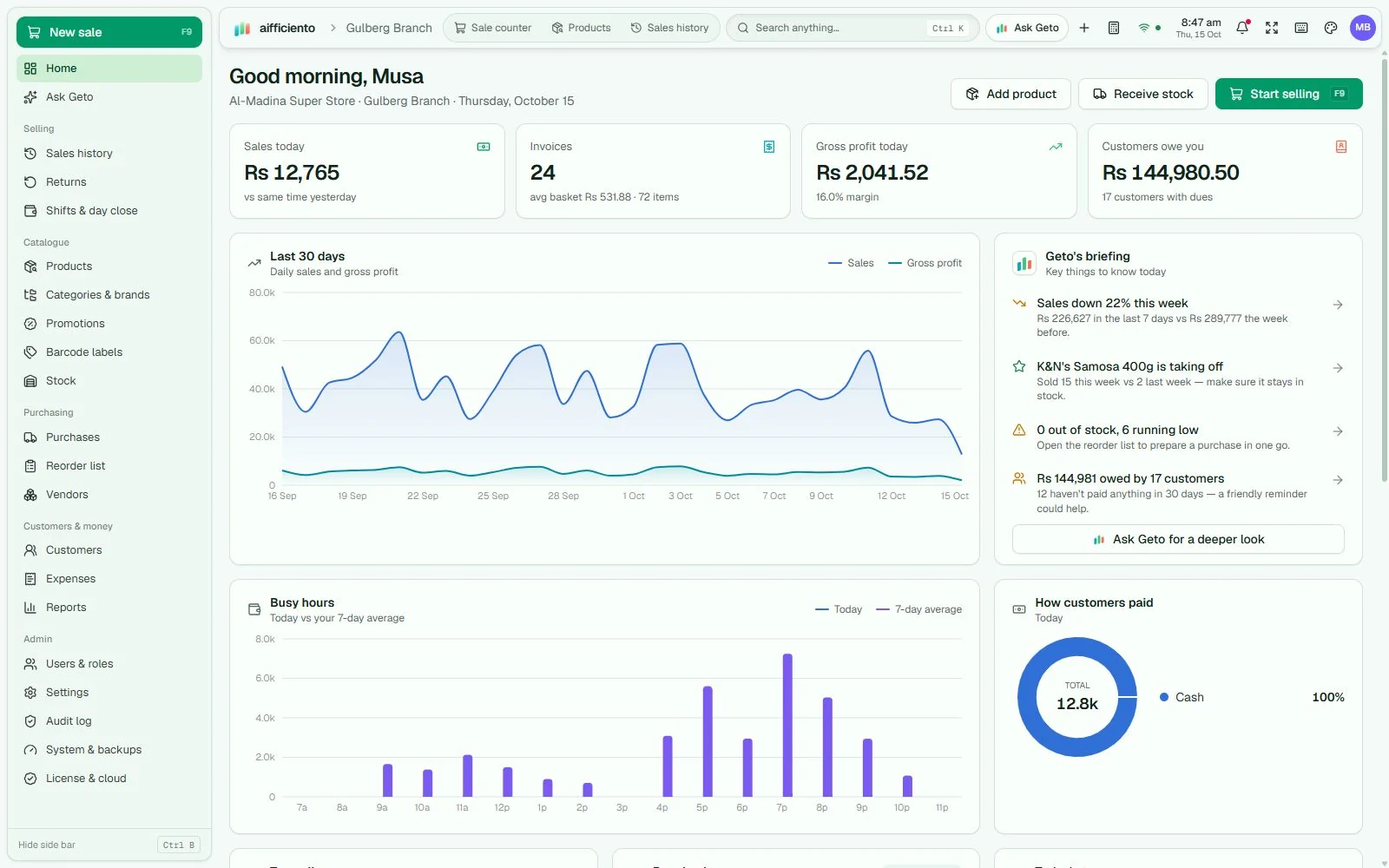
AIFFICIENTO runs everyday point of sale on your local Windows server. Your counters connect over the shop network, so an internet outage does not have to interrupt selling.
One shop server. Every counter connected.
Choose one Windows PC to hold the database and run the local server. It can also work as a checkout counter. Install the same app on your other Windows PCs and connect them as terminals.
Sales, products, stock and customer records stay on the server PC. The server and local network need power and a working connection between the PCs. Offline selling does not make the shop independent of its server.
- One installer for the server and terminals
- Local data storage and scheduled backups
- Staff roles and permissions checked by the server
A clear boundary
What works locally, and what needs internet.
| Workflow | Connection required |
|---|---|
| Checkout, inventory, customer accounts and local reports | Your server PC and local network |
| Local receipt and label printing | Configured printer and local connection |
| Automatic backups | Your configured backup destination; remote/cloud destinations may need internet |
| Geto AI, bill photo interpretation and voice features | Internet and an available AI allowance |
| Updates and periodic licence checks | Internet; paid offline use is subject to licence validity |
| Card or wallet authorisation | Your external payment terminal/provider; the POS records the amount separately |
Before the first sale
A dependable setup starts with a short checklist.
- Keep the server PC powered and connected while terminals are selling.
- Test your receipt printer, barcode scanner and local network on every counter.
- Configure automatic backups and keep a copy away from the server PC.
- Reconnect to the internet for updates, Geto AI and licence checks.
- Discuss each branch separately; central multi-location stock synchronisation is not verified in this guide.
Common questions
Offline does not have to be complicated.
Will selling work without internet?
Yes, while your shop’s server PC and local network remain available. AI and online services need an internet connection.
Is my shop data stored in the cloud?
Your operational shop records live on the local server PC. Licensing, updates, optional cloud connection and AI use involve online services. See the privacy policy for details.
Can I use macOS, Android or iOS?
This release is a Windows desktop product. Native macOS, Android and iOS apps are not confirmed.
Do I still need backups?
Yes. Local storage does not protect against disk failure, theft or damage. Configure backups and keep a separate copy away from the server PC.
Your next chapter
Good days start
with a clearer counter.
Bring your products, your people and your ambition.
We’ll help you get set up.