Barcode checkout
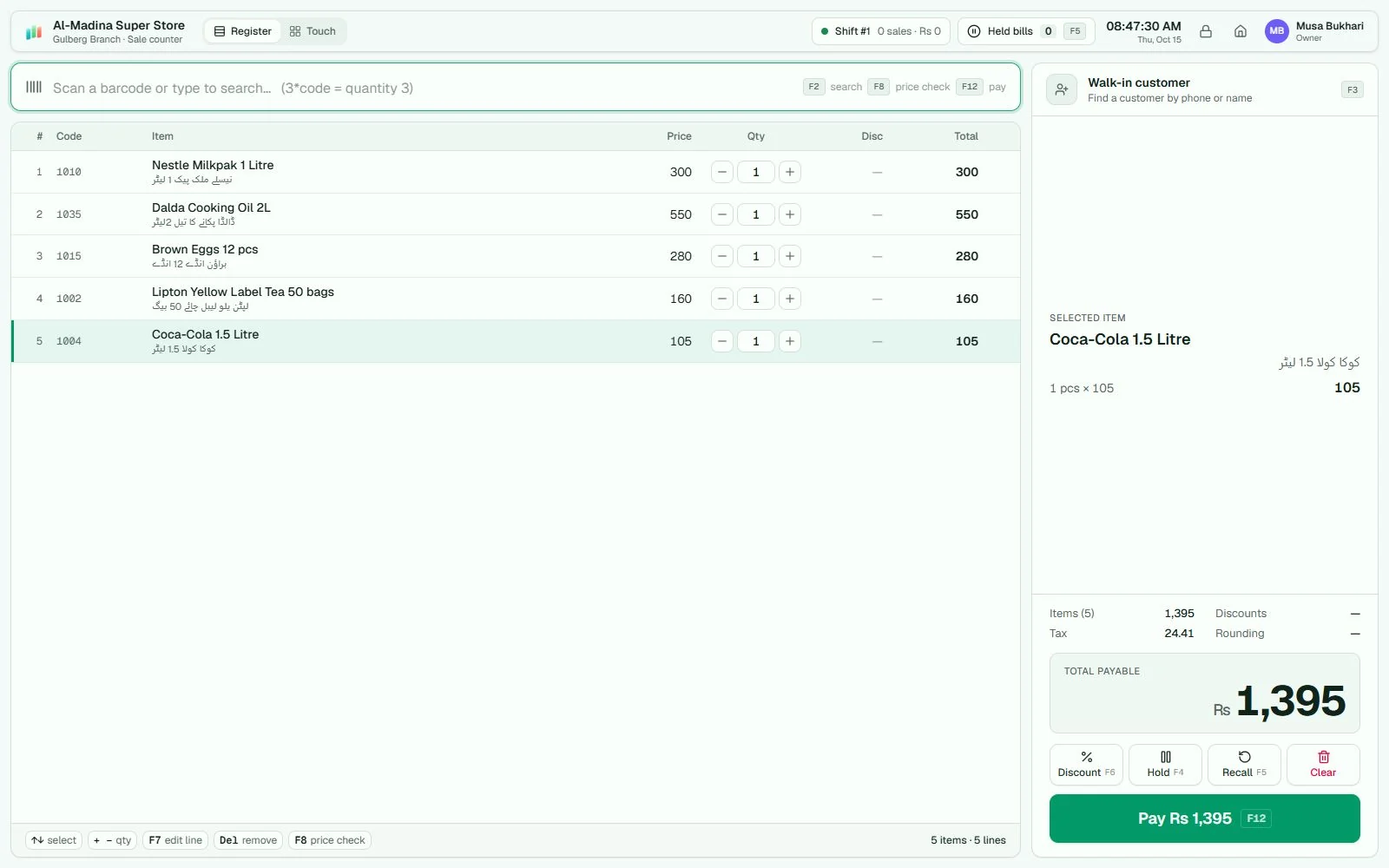
Find products by barcode or search. Hold bills and record cash, card, wallet, bank or customer-credit payments.
Grocery & supermarkets
Grocery and supermarket POS software that connects checkout, supplier purchases, stock and customer credit. Built for Windows, with selling that works on your local network.
A grocery shop needs more than a bill total. The cashier needs a barcode lookup, the stock keeper needs purchase quantities, and the owner needs to know what sold and who still owes money.
AIFFICIENTO keeps these records in one workspace. Use the register layout with a scanner, or a touch layout for product selection. Hold a bill, record split payments and handle returns without a separate stock book.
From delivery to day close
Find products by barcode or search. Hold bills and record cash, card, wallet, bank or customer-credit payments.
Sell fractional quantities and use supported scale barcode formats. Test your scale label format before rollout.
Receive items and bonus quantities, track supplier bills and follow stock movements from purchase to sale.
Give customer accounts a clear credit limit. Record payments and review balances and statements.
Set item or group promotions, multi-buy deals and loyalty rules. Check which plan suits your setup.
Review sales, gross profit, stock value and cashier activity. Reconcile cash and close the day.
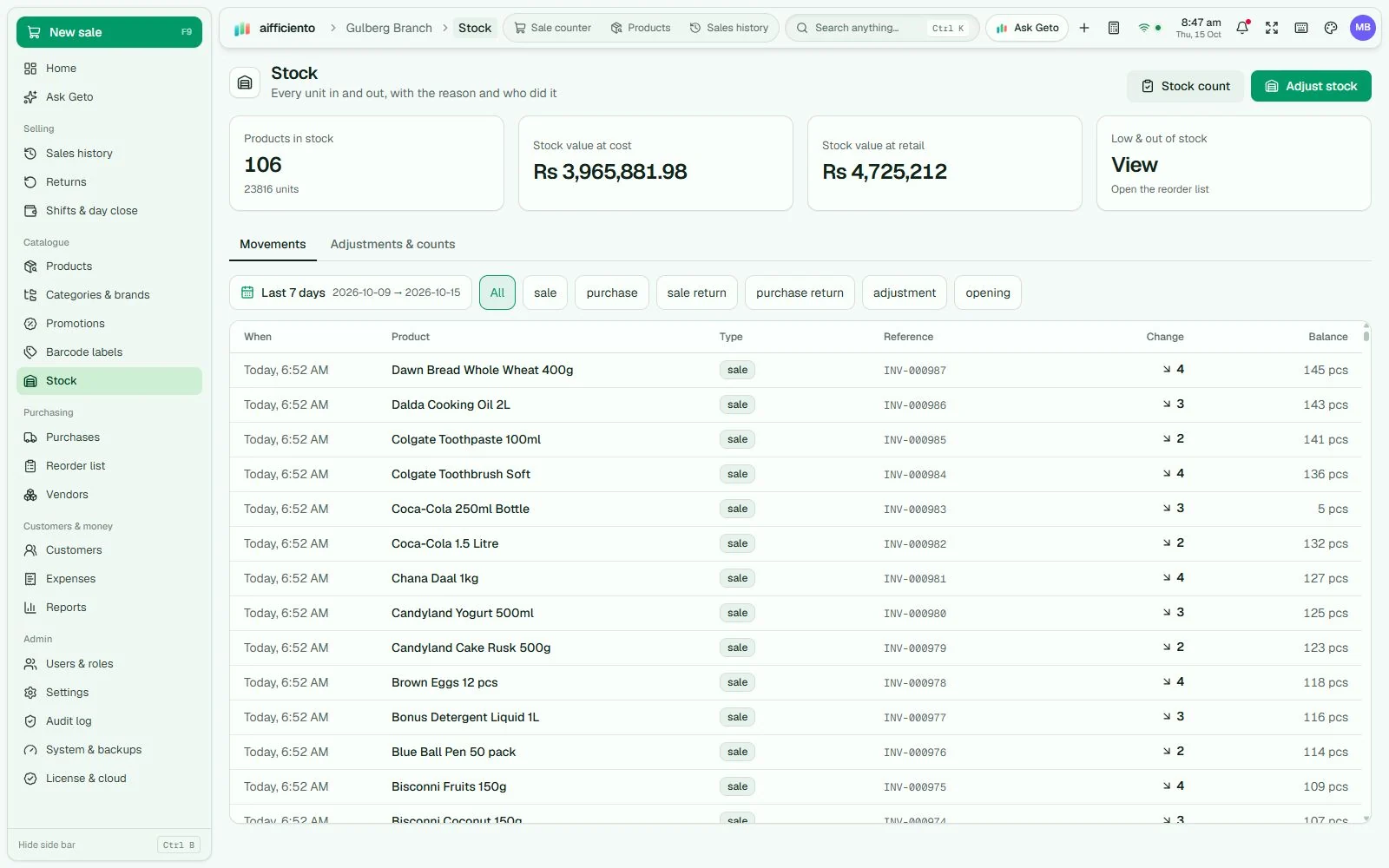
Use reorder levels, recent sales and current quantities to prepare your purchase list. Receive the delivery, count your shelves and investigate differences through stock history.
Inventory and sales stay on your local server PC. Automatic backups can copy to a second drive or a folder you choose. Make an off-PC copy part of your closing routine.
Understand the offline setupA practical trial
Import a representative product list, including weighed items and products with more than one price.
Scan, change quantities, hold a bill, record a split payment and create a return. Test your receipt printer.
Check the stock movement, customer statement and daily close. Confirm tax and payment requirements with our team.
Questions from shop owners
Yes. Selling works through the shop’s Windows server and local network. Keep those running. AI, updates and periodic licence checks require internet.
Yes. Install the app on each Windows PC, configure one as the server and connect terminals over your shop network. Ask the team about licensing for your user count.
The POS records payment amounts and methods. This does not mean it authorises transactions or settles with a bank or wallet. Check required payment connectors separately.
Go is $3 per user per month and Pro is $7 per user per month, in USD. A 30-day trial is available without a credit card. Hardware and on-site work are separate.
Your next chapter
Bring your products, your people and your ambition.
We’ll help you get set up.